Nano Banana 2 Image Editor
Google's v2 — improved quality and multi-image compositing.


Edit: "replace the background with a vibrant sunset beach with palm trees and golden hour lighting"
About Nano Banana 2
Nano Banana 2 is Google's iteration on the original Nano Banana — same multi-image compositing approach, with notable improvements in instruction following, output resolution, and handling of edge cases that v1 struggled with (especially eyes, hands, and complex backgrounds). Pricing is roughly 2x the original, which makes sense for production work but means v1 still has a niche for casual use.
Heads up
Still mediocre at text rendering — that wasn't a focus of the v2 update.
Best use cases for Nano Banana 2
Where this model produces meaningfully better output than alternatives.
Production-grade compositing
When v1 outputs are 80% there and you need the last 20% of quality.
Edits requiring precise hand and eye rendering
V2 fixed most of v1's anatomy issues. Use it for portrait work.
High-resolution outputs
V2 supports larger image sizes than v1 — better for print or zoomed displays.
Complex backgrounds
Cluttered scenes that confused v1 are handled cleanly in v2.
Brand work where consistency matters
V2's identity preservation across iterations is noticeably more stable.
Tips for great results with Nano Banana 2
Practical tricks based on how this specific model was trained.
1. Benchmark against v1 first
Why: V2 is meaningfully better, but not 2x better for every task. Spot-check on your actual workflow.
2. Push it on hands and faces
Why: V2 was specifically tuned for the anatomy failures that plagued v1.
3. Use for portrait series
Why: Identity preservation is one of v2's biggest improvements over v1.
Interior editing example
Same model, different task — adding a new element to an existing scene.
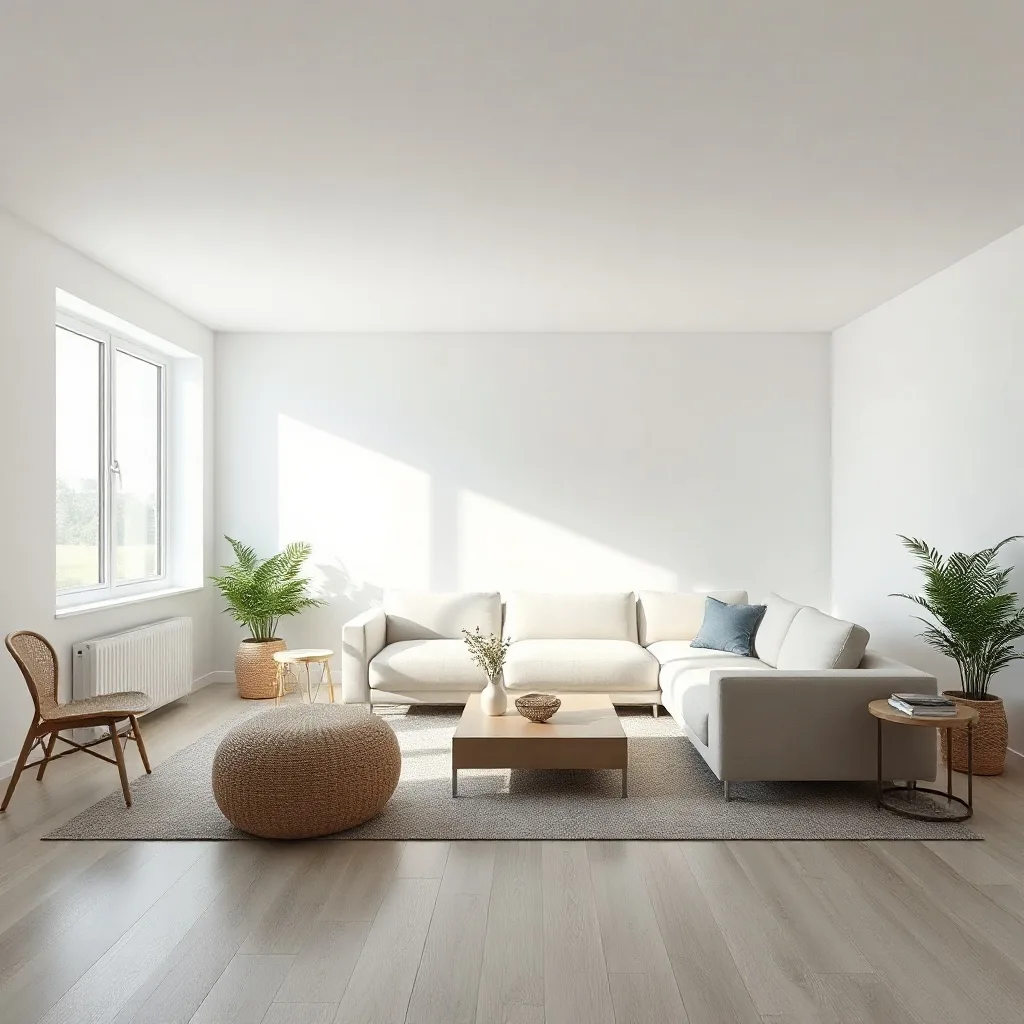

Edit: "add a tall floor-to-ceiling stone fireplace with a roaring warm fire to the wall behind the sofa"
How Nano Banana 2 compares
Quick comparison against the closest alternatives.
| Model | Maker | Tier | Best for |
|---|---|---|---|
| Nano Banana 2 | Standard | Production-grade compositing | |
| Nano Banana | Standard | Multi-image compositing | |
| Nano Banana Pro | Premium | Multi-person scenes | |
| Flux Kontext Max | Black Forest Labs | Premium | Edits involving readable text |
Try Nano Banana 2 on your own image
Upload any photo, describe what to change, and Nano Banana 2 handles the rest.
Open editor →FAQ
What is Nano Banana 2 and who made it?
Nano Banana 2 was built by Google, released in 2025. Nano Banana 2 is Google's iteration on the original Nano Banana — same multi-image compositing approach, with notable improvements in instruction following, output resolution, and handling of edge cases that v1 struggled with (especially eyes, hands, and complex backgrounds). Pricing is roughly 2x the original, which makes sense for production work but means v1 still has a niche for casual use.
How does pricing work on renza?
Pay-as-you-go credits — no subscription, no monthly minimums. Credits never expire. New accounts get free credits to try things out. Each model has its own credit cost based on what it costs us to run; check the editor for current pricing on this model.
What kind of edits does Nano Banana 2 handle well?
When v1 outputs are 80% there and you need the last 20% of quality. V2 fixed most of v1's anatomy issues. Use it for portrait work. V2 supports larger image sizes than v1 — better for print or zoomed displays. Limitation: Still mediocre at text rendering — that wasn't a focus of the v2 update.
How does Nano Banana 2 compare to other editors?
Nano Banana 2 is most often compared to Nano Banana, Nano Banana Pro, Flux Kontext Max. The right pick depends on your specific use case — see "Best use cases" above for guidance, or open the editor and try them side by side on your own image.
Can I use the output commercially?
Yes. Generations made on renza are yours to use commercially. Standard FAL terms apply to the underlying models — none of the editors in this list restrict commercial use.
Is there a free trial?
Yes — new accounts get free credits at signup, enough to try a few different models. No credit card required.