Nano Banana vs Nano Banana Pro
Nano Banana is 2 credits. Nano Banana Pro is 4 — double. The Pro version is genuinely sharper on detail-heavy edits and noticeably better at scenes with many objects, but you're paying twice as much for an upgrade most casual edits won't show. For one-off social posts, the standard model is fine. For client deliverables or anything you'll print or zoom into, Pro starts paying for itself.
Google released Nano Banana Pro a few months after the original, and the question 'is it worth it?' is genuinely hard to answer without running both on your own images. The price difference is real (2 vs 4 credits), the marketing differences are vague ("state-of-the-art"), and the visible quality gap shifts dramatically depending on what you're editing.
After running hundreds of A/B tests through our editor, the pattern is clearer than the promo material suggests. Pro is meaningfully better in three specific situations: dense scenes with lots of objects, edits that need fine textural detail (fabric, hair, water), and prompts where you're combining several reference images. On a simple background swap or a single-object addition, the standard model is hard to beat for the price.
Below is the same portrait-and-room test we run on every editing model. It's deliberately a soft test — single instruction, clean source image. If you can't see a clear winner here, that's actually the answer: don't pay extra for edits this simple.
Verdict at a glance
| Dimension | Notes |
|---|---|
| Cost per edit Nano Banana | Standard is 2 credits, Pro is 4. That's a 2× premium. |
| Speed Nano Banana | Standard runs faster (~3–5s vs ~6–9s for Pro). |
| Simple background swaps Tie | For single-instruction background changes, the gap is small enough that the extra credit isn't justified. |
| Fine detail (fabric, hair, water) Nano Banana Pro | Pro's texture rendering is noticeably better when the source image has detailed surfaces. |
| Dense / busy scenes Nano Banana Pro | Many objects in one frame is where Pro's extra capacity actually shows. |
| Multi-image compositing Nano Banana Pro | Both accept multiple references, but Pro integrates them more coherently. |
| Casual / playful edits Nano Banana | If the goal is a meme or social post, the standard model gives you 90% of the result for half the cost. |
Side by side, same prompt
Identical source image, identical edit instruction. Only the model differs.
Portrait background swap
replace the background with a vibrant sunset beach with palm trees and golden hour lighting 


What to notice: On a clean studio portrait like this, both models give you a usable result. Look at how natural the lighting on the subject's face matches the new background — that's usually where the price difference becomes visible.
Interior: add a fireplace
add a tall floor-to-ceiling stone fireplace with a roaring warm fire to the wall behind the sofa 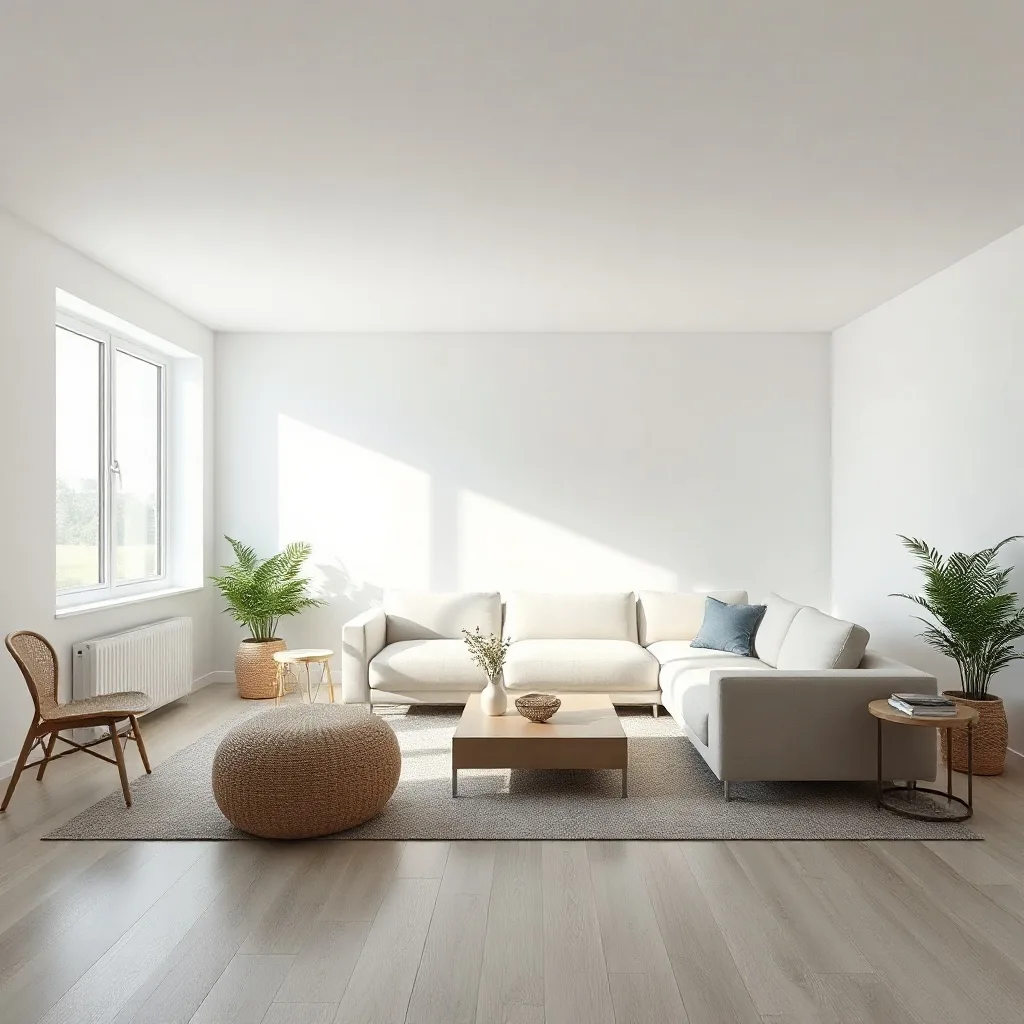


What to notice: Compare the stone texture on the fireplace and how its warm glow falls on the floor and sofa. Texture density is where Pro tends to pull ahead.
When to pick which
Pick Nano Banana if
- → You're editing for social posts, drafts or anything that won't be zoomed into.
- → The source image is clean and the edit is a single instruction.
- → You're cost-sensitive and running many variants.
- → You want the Nano Banana 'feel' but don't need top-tier output.
Pick Nano Banana Pro if
- → You're producing client work or anything that will be printed.
- → The source image is detail-heavy (fabric, hair, foliage, water).
- → You're compositing multiple reference images into one scene.
- → You've tried the standard model and the output isn't holding up at full resolution.
Bottom line
Default to the standard model. Upgrade to Pro when you see the standard one failing on texture, on busy scenes, or when you specifically need multi-reference compositing to hold together. The single most common mistake here is paying for Pro on edits the standard model would have nailed — it's a 2× cost penalty for an improvement that often doesn't show.
Frequently asked
What's the actual difference between Nano Banana and Nano Banana Pro?
Pro is the higher-capacity variant of the same model family. It handles more detail per image, integrates multiple references more coherently, and produces sharper textures. The trade-off is double the credits per run and slower generation time.
Is there a Nano Banana 2?
Yes — Nano Banana 2 sits between the standard and Pro tiers. It's 3 credits per edit and a meaningful step up from the standard model without the full Pro premium. Worth trying if 2 credits feels light but 4 feels excessive.
Which one should I use for product photography?
Pro, when the product has detailed materials (leather, fabric, glass with reflections). The standard model for matte, simple-shape products where most of the cost is the background swap rather than the product itself.
Can I run the same prompt on both and compare?
Yes — open the editor with the same source image, run it once on each model, and decide. Two credits + four credits = 6 total to know if the upgrade is worth it for your specific workflow.
More head-to-heads
Nano Banana vs Flux Kontext Pro
Both edit images from a prompt, both cost 2 credits per run, and both have loud fan bases.
Flux Kontext Pro vs Flux Kontext Max
Kontext Pro costs 2 credits per edit.
ChatGPT Image 2 vs Nano Banana Pro
These are the two flagship instruction-based editors from OpenAI and Google respectively.
Flux Kontext Pro vs ChatGPT Image 1.5
Both 2 credits per edit.