From a still photo to a moving clip
Real examples. Each started as a single image, then renza animated it into a short video.
Animate a pet photo
Turn your pet's portrait into a moving clip. A gentle breath, a slow head turn, the velvet robe shifting, your pet brought to life and ready to share.
See how it works →
Bring a portrait to life
Animate a headshot with subtle, natural motion: a blink, a confident smile, a slight turn. Perfect for a profile, an intro or an about page.
See how it works →
Turn any photo into a video
Action shots, lifestyle, products, almost any image becomes a short clip with believable motion. Great for reels, ads and a scroll-stopping feed.
See how it works →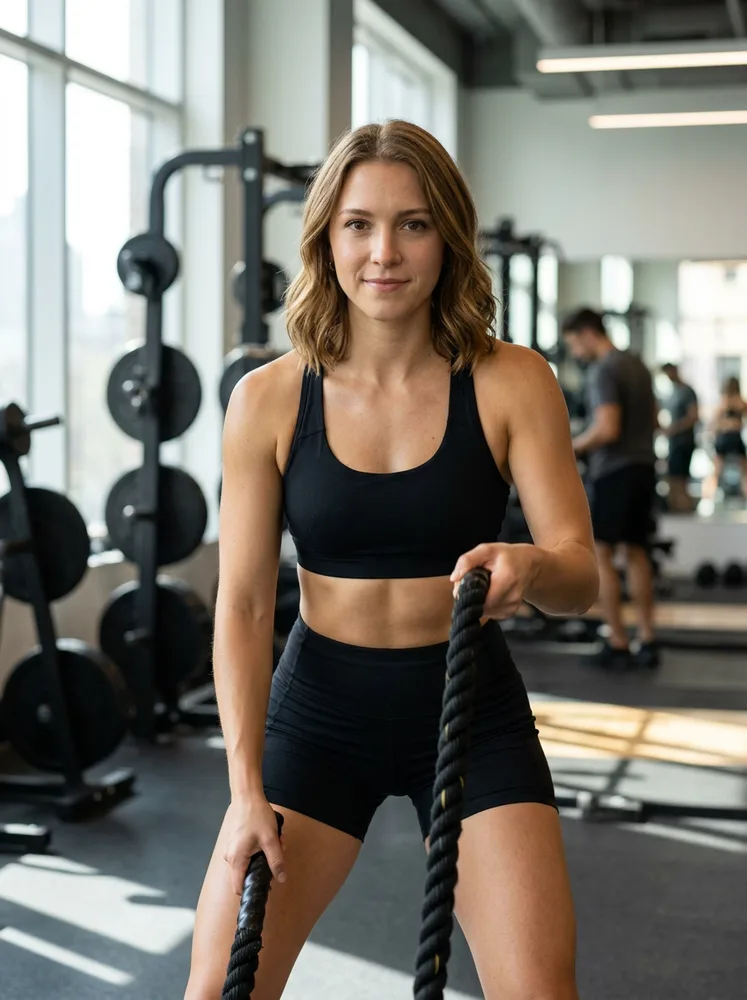
Why renza is a great Sora alternative
Sora put AI video on the map, but it is being wound down, leaving people looking for somewhere to go. renza gives you the current state of the art in one place.
Instead of one model, you get a choice: Kling for sharp, stable motion, Veo 3.1 for top quality with audio, Seedance for native sound and physics, and LTX for fast, cheap drafts.
Generate from a prompt or animate an image, with no install and no waitlist. It runs in your browser and bills by simple monthly credits.
Tips for great AI video
Start from a sharp image
The clearer the photo you start from, the cleaner the motion. Good lighting and focus give the best clips.
Describe the motion you want
A short prompt like "slow zoom in, subtle smile, hair moving in the wind" guides the model toward natural movement.
Subtle beats chaotic
Gentle, believable motion reads as premium. Over-the-top movement tends to warp faces and details.
Pick the right model
Kling and Veo give the most stable, high-quality motion, Seedance adds native audio, LTX is the fast and cheap option.
Loop-friendly clips
Short five-second clips with a calm start and end loop seamlessly, perfect for a feed or a hero section.
What people are making
I animated an old photo of my grandfather and my whole family was speechless. It felt like he was right there again.
Turned my flat product shots into scroll-stopping video ads in minutes. My click-through doubled.
Made my dog's portrait actually move and posted it. Best thing I've shared all year.
Pick your plan
Monthly subscription with credits for video and images. Cancel any time.
Basic
- · 1 personal AI model
- · 200 generations per month
- · All image + video models
- · Commercial use included
Popular
- · 3 personal AI models
- · 1,000 generations per month
- · Priority queue
- · Photo packs (30 imgs at once)
- · Commercial use included
Pro
- · 6 personal AI models
- · 5,000 generations per month
- · Highest priority queue
- · Photo packs + bulk export
- · Early access to new models
- · Commercial use included
Frequently asked questions
Is renza a good Sora alternative?
Yes. It runs the leading 2026 video models (Kling, Veo 3.1, Seedance) for both text-to-video and image-to-video, with native audio, so you are not tied to a single model.
Is Sora being discontinued?
OpenAI announced the Sora app and API are being wound down in 2026, so many users are migrating. renza is a ready replacement with no waitlist.
Does it do text to video and image to video?
Both. Type a prompt to generate from scratch, or upload an image to animate it into a clip.
Does it have audio?
Yes. Veo 3.1 and Seedance generate synchronized audio inside the clip, a key 2026 feature.
Do I need to install anything?
No. renza runs in your browser. Sign in, pick a model and generate.
How much does it cost?
Plans start at 9.99 per month with monthly credits. Each clip costs a handful of credits based on the model and length.