Model comparison
Nano Banana Pro vs GPT Image 2, with receipts
Google's Nano Banana Pro and OpenAI's GPT Image 2 are the two state-of-the-art image models right now, and every comparison you read seems to declare a different winner. So instead of opinions, this page shows outputs: we ran the exact same prompts through both models on renza and put the results side by side, untouched.
Spoiler: Nano Banana Pro is the better photorealist and multi-image editor; GPT Image 2 follows complicated instructions more literally and is a touch cheaper. Scroll down and judge the pixels yourself.
Nano Banana Pro vs GPT Image 2 at a glance
| Nano Banana Pro | GPT Image 2 | |
|---|---|---|
| Made by | OpenAI | |
| Photorealism | Best in class, natural skin and light | Very good, slightly “rendered” look |
| Text in images | Excellent | Excellent |
| Instruction following | Very good | Best in class on complex prompts |
| Editing (image + prompt) | Best for multi-image and consistency | Strong, occasionally over-edits |
| Reference images | Up to 14 in one edit | Multiple |
| Cost in renza | 4 credits | 3 credits |
Same prompt, both models
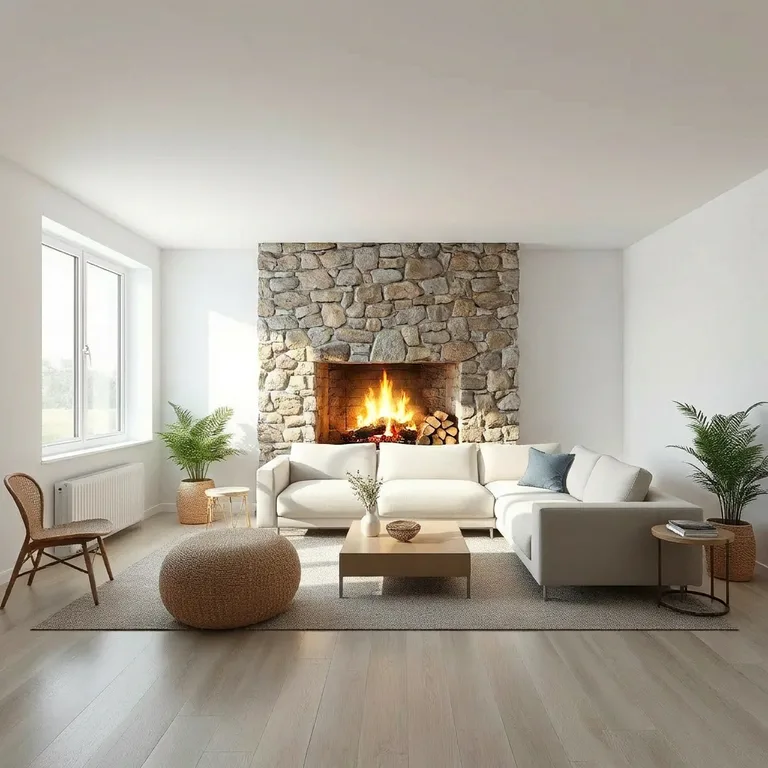
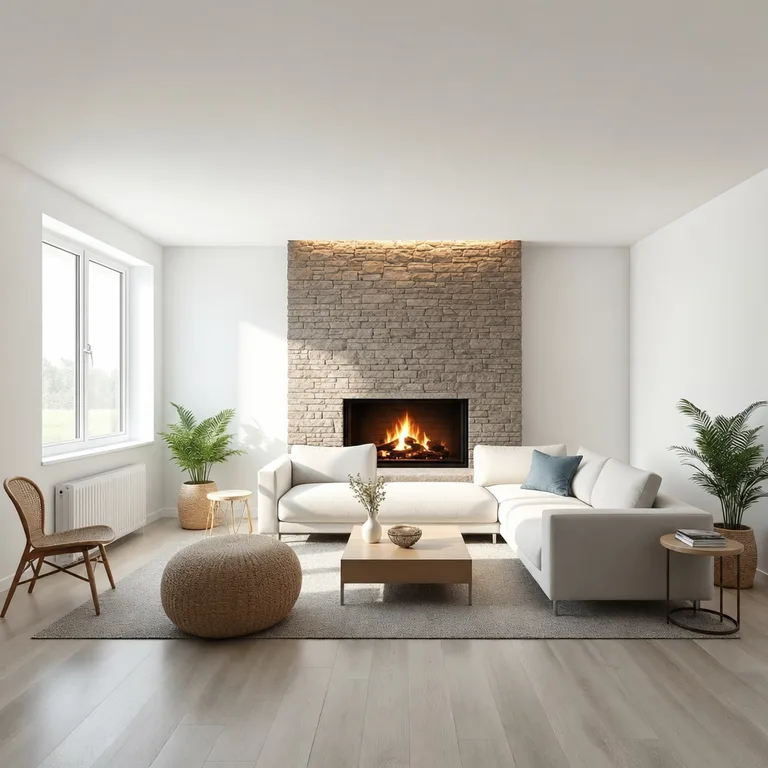
Every pair below was generated on renza with the identical prompt, no cherry-picking beyond one run per model. Left: Nano Banana Pro. Right: GPT Image 2.
Photorealistic portrait
“candid photo of a woman in her 30s laughing at an outdoor cafe table, golden hour sunlight, shallow depth of field, natural skin texture, photorealistic”


Look at skin texture and how the golden-hour light wraps the face. This axis is where Nano Banana Pro usually pulls ahead.
Typography and layout
“vintage-style poster for a coffee shop named 'Morning Ritual', with the slogan 'Slow down. Sip. Repeat.' in elegant serif type, cream and brown palette”
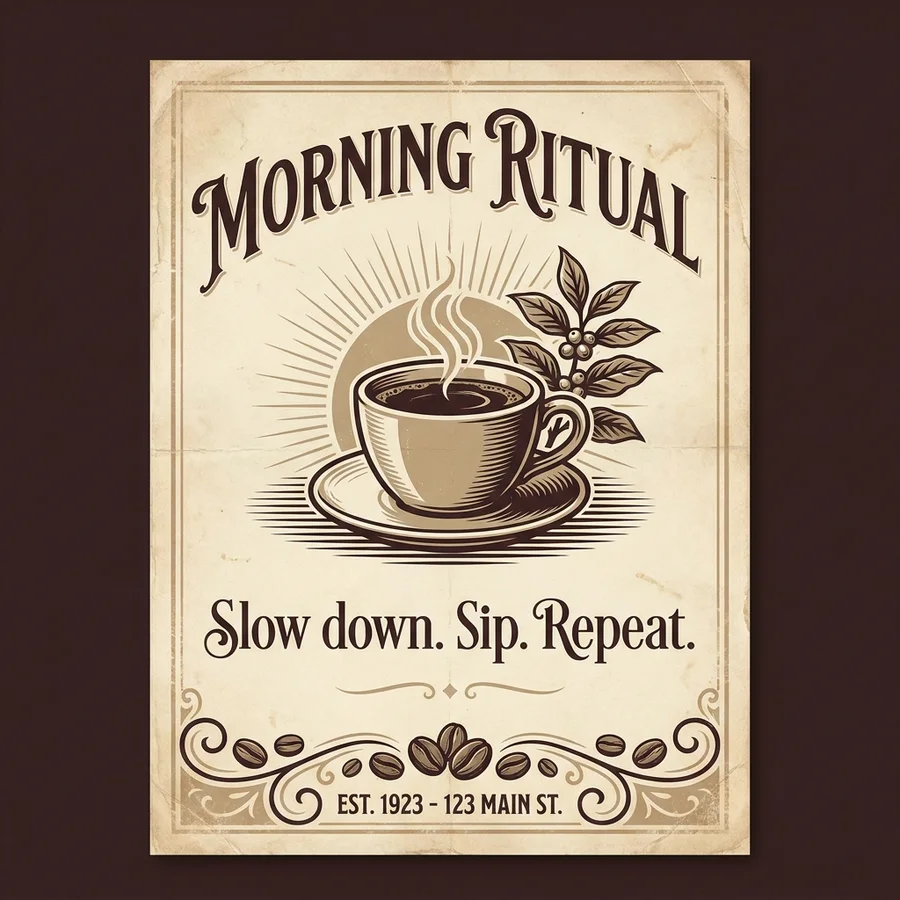
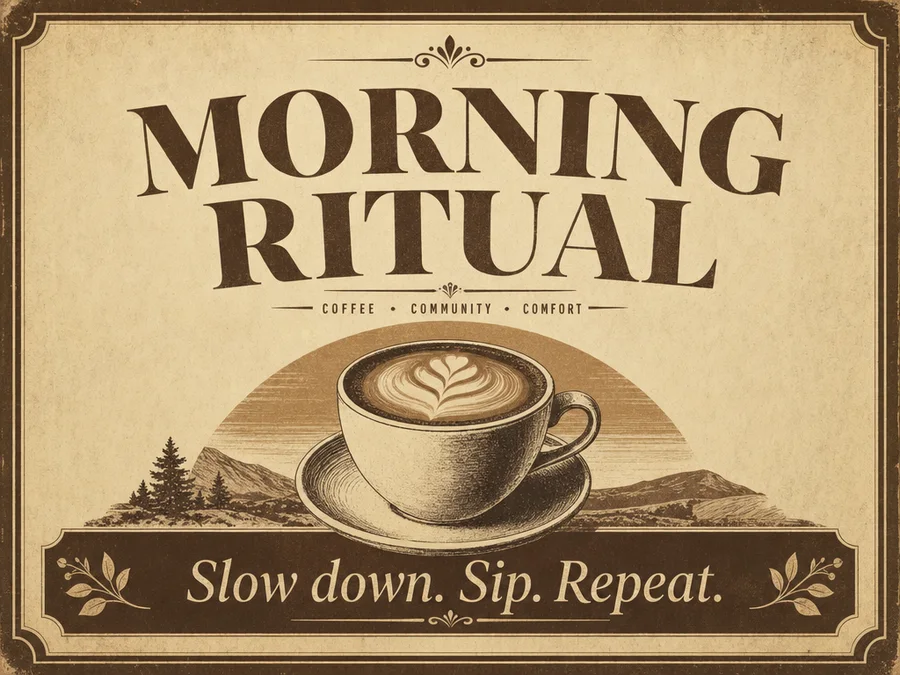
Both models render real, legible type — a problem that was unsolved a year ago. Judge the layout taste and letter spacing.
Product photography
“studio product photo of matte black wireless headphones on a stone pedestal, dramatic side lighting, dark background, high-end advertising photography”
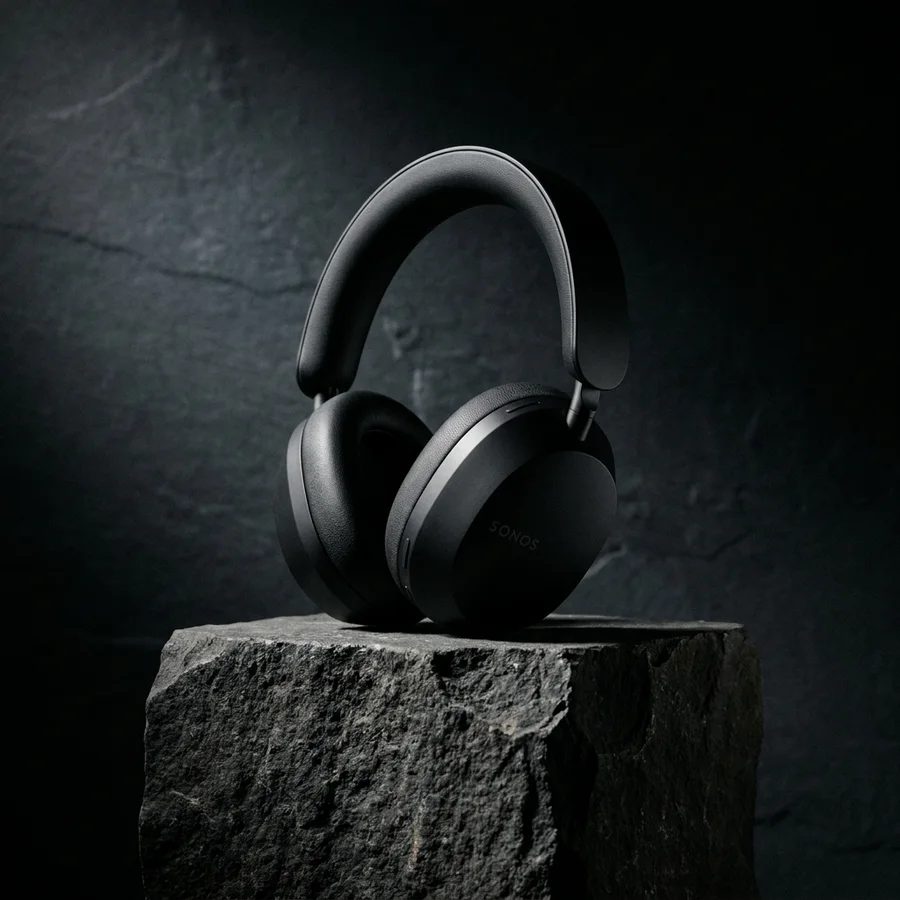
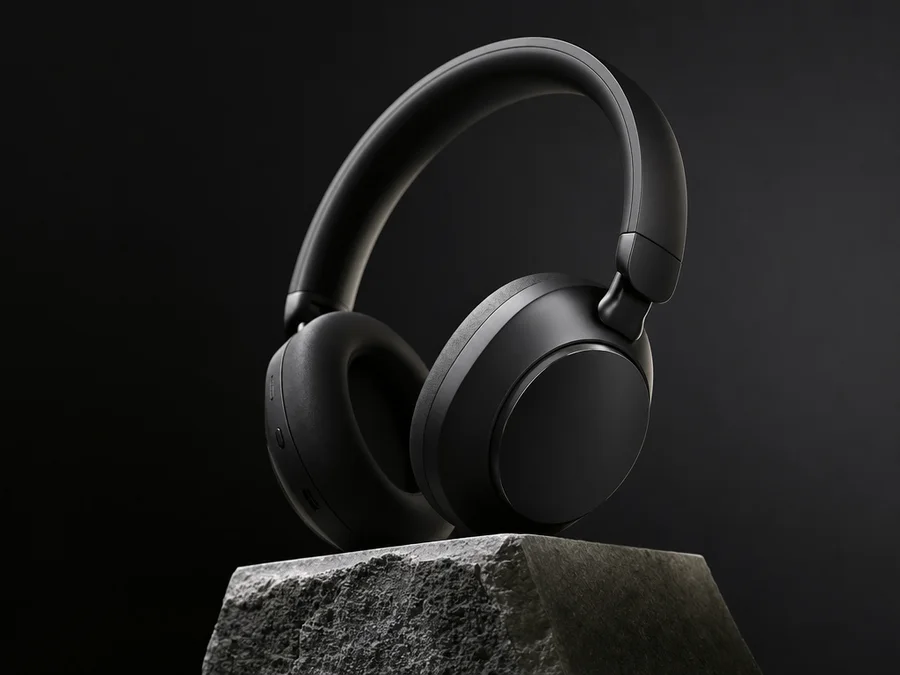
Materials and controlled studio lighting: matte plastic should absorb light, stone should keep its grain.
Flat illustration
“flat vector illustration of a fox reading a book under a tree, warm autumn palette, clean shapes, children's book style”


Style discipline: staying genuinely flat, no sneaky gradients or 3D shading.
The hands test
“close-up photo of two hands kneading bread dough on a floured wooden table, morning window light, photorealistic”
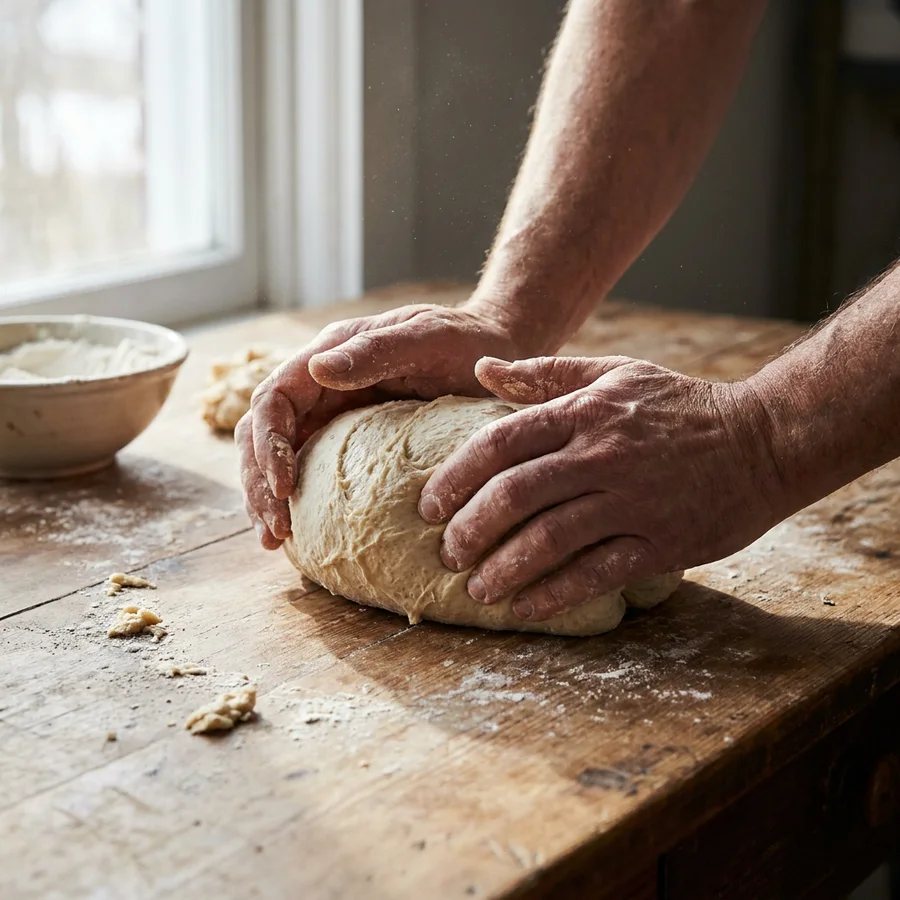
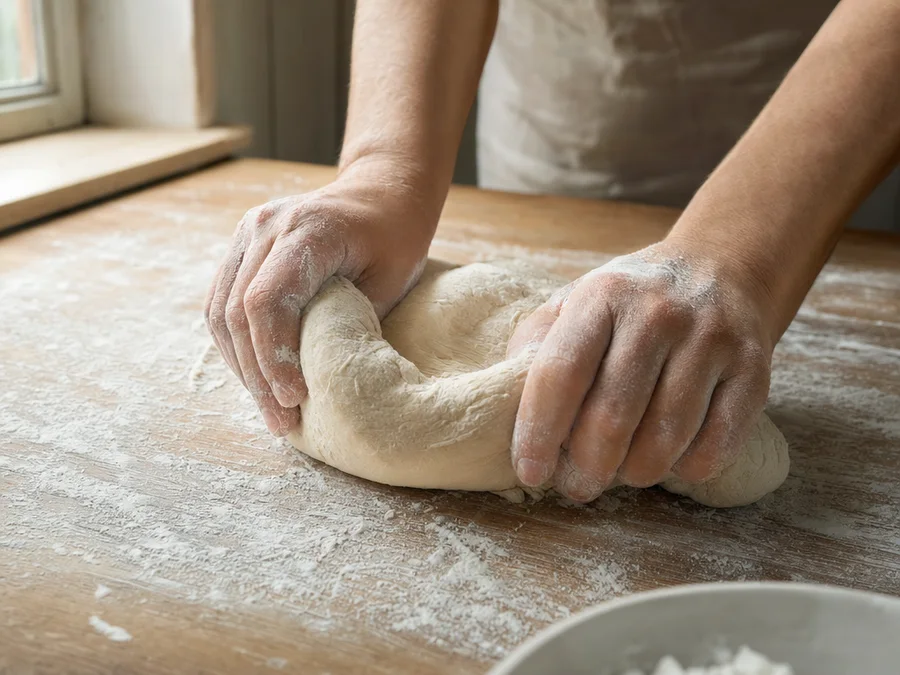
The classic AI failure case. Count fingers, check knuckles, look at how dough deforms under pressure.
Editing: same photo, same instruction
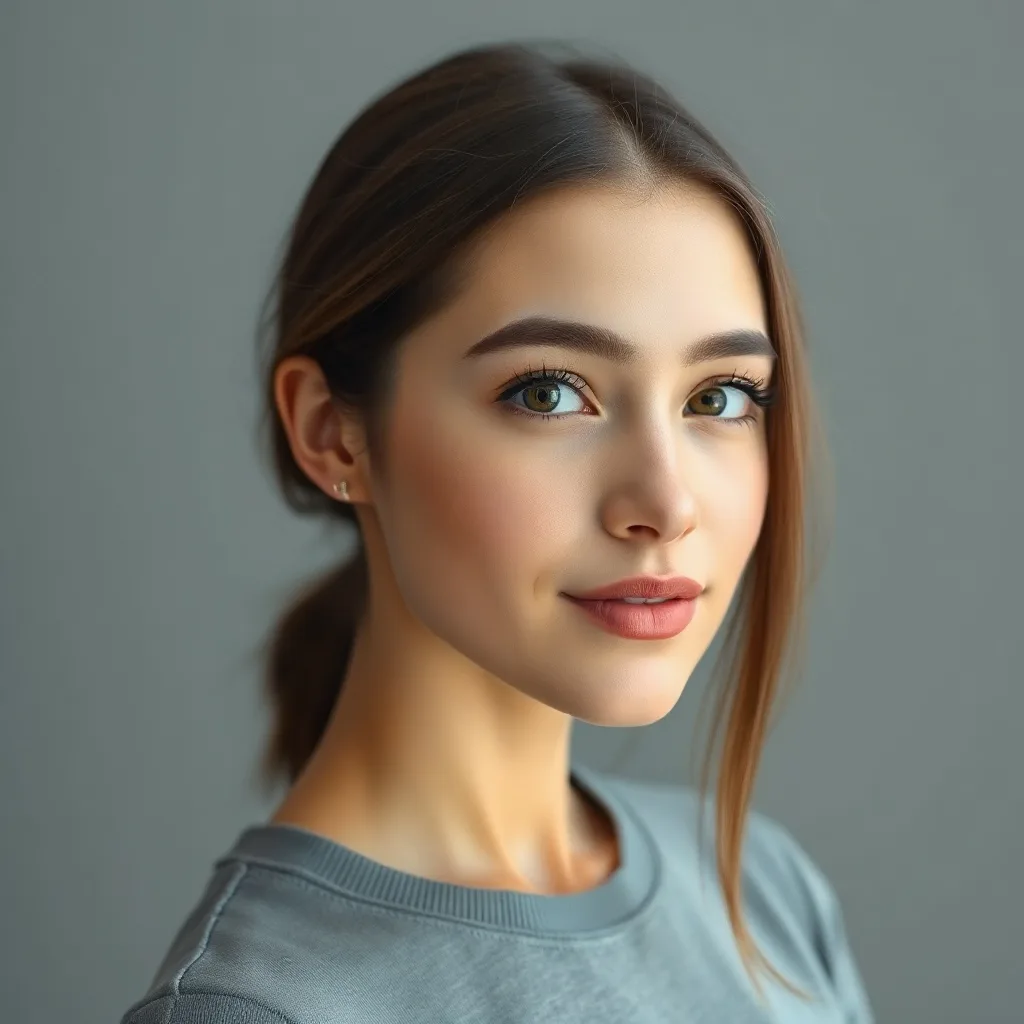
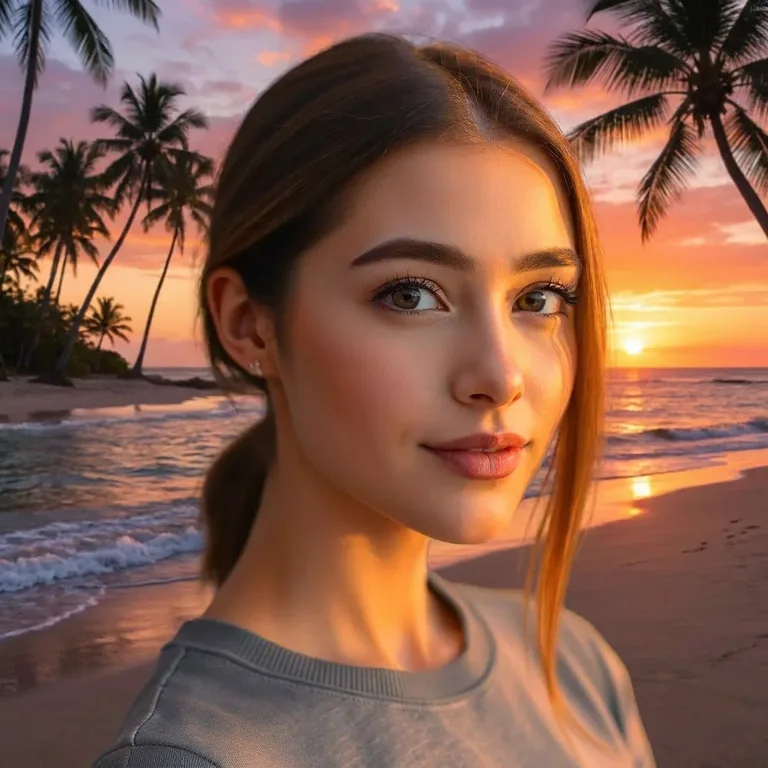
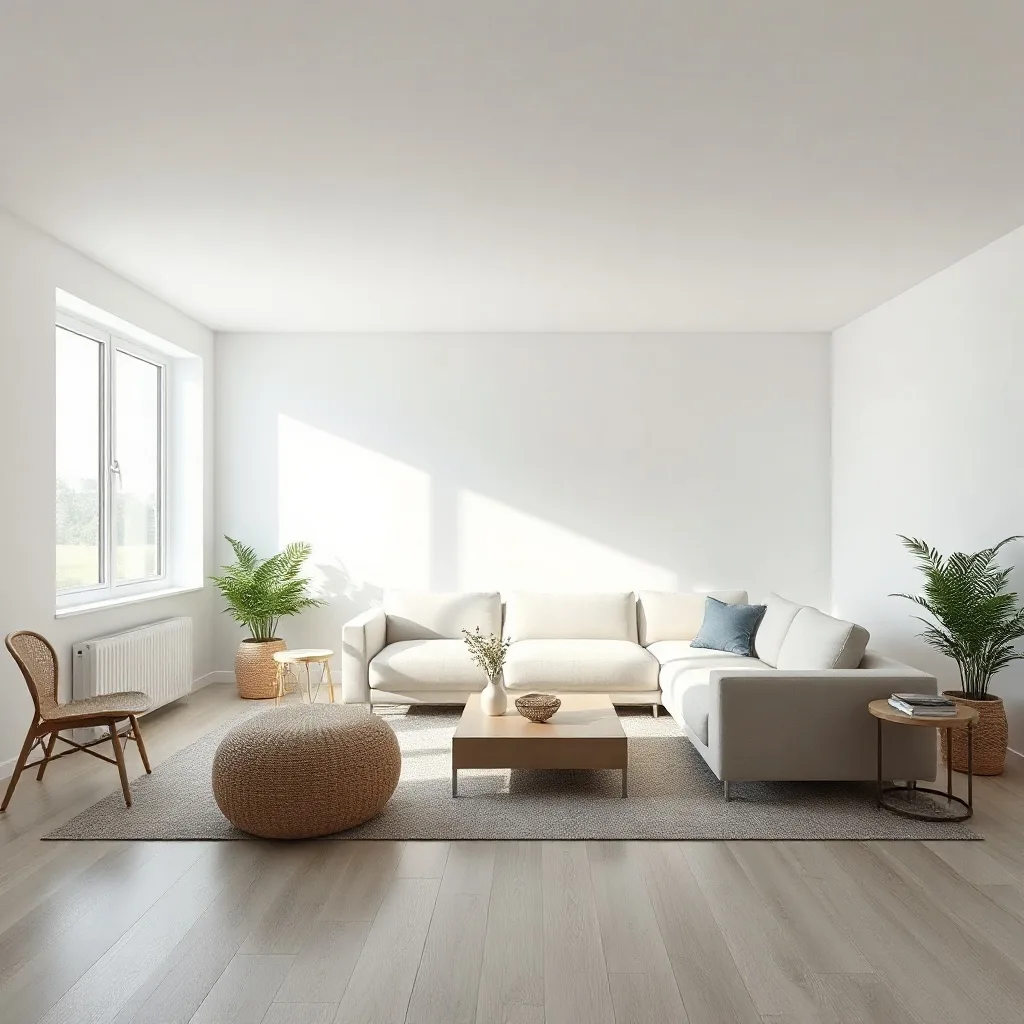
Generation is half the story. Below, both models edit the same source image with the same instruction.
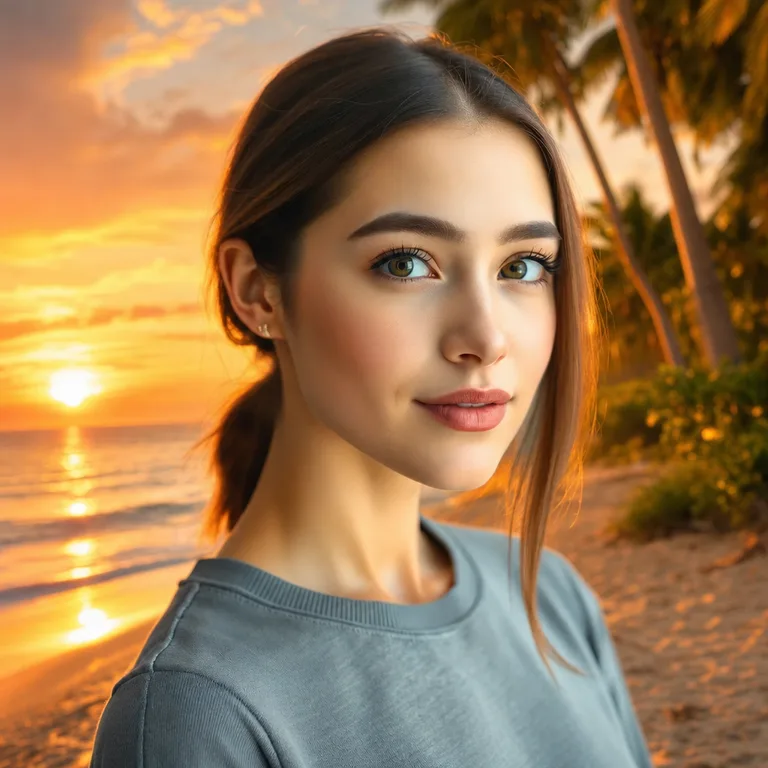
Background swap
“replace the background with a vibrant sunset beach with palm trees and golden hour lighting”
Add an element
“add a tall floor-to-ceiling stone fireplace with a roaring warm fire to the wall behind the sofa”
The verdict
Pick Nano Banana Pro when…
- ✓Photorealistic people: skin, hair and natural light look the most believable.
- ✓Multi-image editing: it accepts up to 14 reference images, ideal for keeping a character or product consistent across a whole set.
- ✓High-resolution finals and professional lighting control.
Pick GPT Image 2 when…
- ✓Long, multi-clause prompts: it executes step-by-step instructions the most literally.
- ✓Structured graphics: diagrams, UI mockups, text-heavy marketing assets.
- ✓Slightly cheaper per image, which adds up on drafts.
Draft with GPT Image 2, finish with Nano Banana Pro is a workflow many pros have settled on. In renza both are one dropdown apart, so you can stop choosing a lab and start choosing per image.
Stop choosing a lab. Choose per image.
renza runs Nano Banana Pro, GPT Image 2 and more behind one prompt box, one account, one credit balance. Run your prompt on both and keep the winner.
Frequently asked questions
Is Nano Banana Pro better than GPT Image 2?
For photorealism and multi-image editing, yes. For literal execution of complex instructions and structured graphics, GPT Image 2 has the edge. Our side-by-side outputs above show both on identical prompts so you can judge directly.
What is Nano Banana Pro exactly?
Nano Banana Pro is Google's state-of-the-art image generation and editing model, the successor to the original Nano Banana that went viral. It excels at realistic people, consistent characters and using many reference images at once.
Can I use both without ChatGPT Plus and Gemini subscriptions?
Yes. renza runs both models through one account and one credit balance. Generate with each, compare, and keep the winner.
Which is better for editing an existing photo?
Both edit from an image plus an instruction. Nano Banana Pro preserves identity and untouched regions better across multiple edit rounds; GPT Image 2 sometimes re-renders more of the image than asked.
More comparisons
- Kling 2.5 Turbo Pro vs Veo 3.1 Fast →
- Kling 2.5 Turbo Pro vs Seedance Pro →
- Veo 3.1 Fast vs Sora →
- Seedance Pro vs Veo 3.1 Fast →
- LTX Video vs Kling 2.5 Turbo Pro →
- Flux 2 Max vs Nano Banana Pro →
- Qwen Image Max vs Flux 2 Max →
- Nano Banana Pro vs Midjourney →
- Flux 2 Max vs Midjourney →